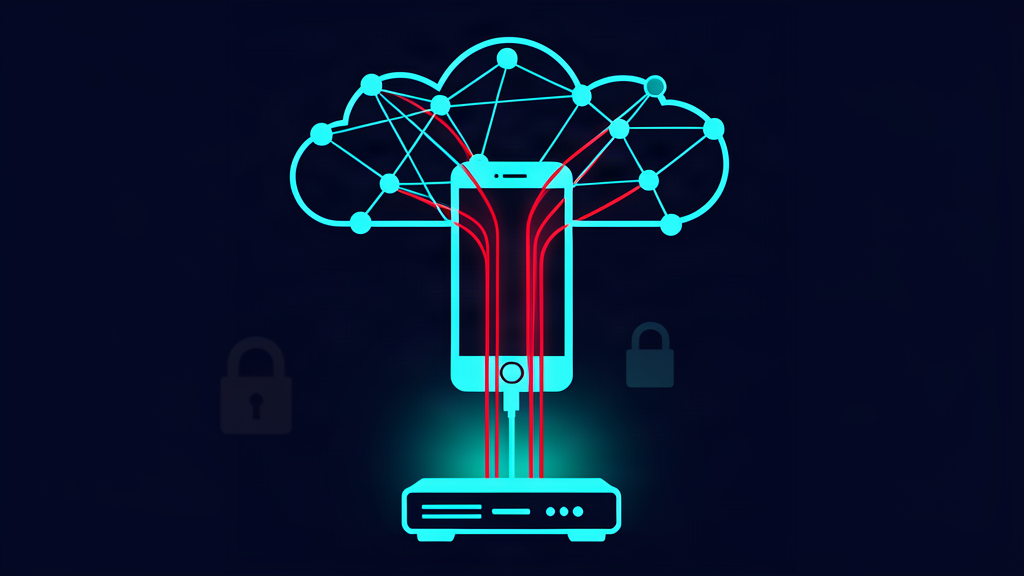
You buy a budget Android phone for your kid or your mom, set it up, avoid sketchy downloads, and figure the cheap price was the low point of the deal. Bitdefender researchers published a report on October 8 that changes that math. They found malware called Midnight Mimosa living in the firmware of low-cost Android phones, and it was on the device before the owner ever pressed the power button.
What it does
The core is a system app. It ships platform-signed, runs as the system user, has no icon, and shows up disguised as an OS component with names like com.android.system.lite, com.android.sys.prot, and com.android.sys.gmsprot. Because it's part of the system partition, Android's normal uninstall can't touch it.
From that perch it quietly does three things:
- Silently installs and removes other apps. It has the INSTALL_PACKAGES permission as the system user, so installs happen with no prompt, no confirmation, nothing. Before each install it briefly disables the Play Store, where Google's Play Protect scanner lives, then re-enables the store afterward so nothing looks off. It even forges the app's install record to claim the app came from Google Play.
- Runs ad and click fraud. It drops cover apps that look like weather utilities, app lockers, note apps, and file managers. Those load real ads through legitimate ad networks, then an invisible layer registers impressions and clicks nobody made. The fraud code is tuned with daily caps and randomized touch placement so the traffic looks organic.
- Turns the phone into a relay node. A hidden component it installs (
com.mobile.applock.en, labeled "Locket") enrolls the device with a command server and can pipe other people's traffic through the phone's internet connection. That's residential proxyware: some stranger's attacks or scraping now originate from your home connection. Researchers confirmed the proxy command server was live and accepting device registrations.
There's also a stored threat. Beyond the apps it actively installs, the enabler holds Android Accessibility, Notification Access, and SMS permissions: the same powers banking trojans use to read every screen and grab one-time codes. Bitdefender watched grants being turned on and off repeatedly but didn't see the powers used yet. They're available to the operator on demand, from a server the owner can't see, on a phone the owner can't clean.
How wide is it
Across roughly two years of telemetry: thousands of unique devices in more than 150 countries. Most victims are in Mexico, France, and Italy, with the United States, Germany, Brazil, and Spain close behind.
The hardware side is the messy part. The two biggest affected models are real, name-brand budget phones: the Doogee S200 X and the Cubot KINGKONG X. Beyond those, the campaign runs on cheap white-label MediaTek devices, including outright counterfeits. We're talking handsets reporting themselves as "S25 Ultra" or "i17 Pro Max" that are neither. Firmware on affected devices was signed with certificates tied to a Shenzhen manufacturer named Zediel, but Bitdefender is careful here: that's technical attribution, not proof the company wrote or knew about the malware. Whoever inserted it could be an ODM, a firmware integrator, or someone further down the distribution chain. Nobody knows yet.
And a factory reset does not fix it. The component sits in the system partition, so erasing user data leaves it in place. Bitdefender says cleanup requires a firmware-level fix or disabling the component over ADB. Neither is anything most families can or should attempt.
Two details make this worse than the usual malware story:
- Owners on XDA forums documented apps that reinstall themselves after manual removal, sometimes reappearing under a new package name. One Doogee Fire 3 Max owner got infected by the manufacturer's official firmware update, stayed clean only after rolling back, and got re-infected when the update was installed again.
- The same ad-fraud code turned up in 13 apps listed on Google Play at publication time, under 13 different signing certificates and at least two developer accounts. Those Play apps can't silently install anything, but they can show ads outside the app, even while you're not using the phone.
How to check a phone
None of these checks is perfect, but together they flag most of the risk:
- Play Protect certification. Play Store → tap your profile icon → Settings → About → see "Play Protect certification." A genuine, certified device shows "Device is certified." A failed certification on a phone sold as new is a hard stop.
- The model string. Compare Settings → About phone against real spec sheets. "17 Pro Max" or an iPhone-adjacent name inside an Android build means counterfeit hardware. So does a model name paired with prices that are too good.
- The app list. Look for system packages you never asked for, especially anything named like an OS component that won't uninstall.
com.android.system.liteand thecom.android.sys.*family are this malware's fingerprints. Keep in mind it also rotates names. - Your router's DNS logs. Look for queries to
api.weatherlive.world,showtimetool.com, or weird wildcard domains ending in.apple.0aa0cf0637d66c0d[.]com-style strings, plus outbound connections to port 6000. Malware that talks to a control server has to resolve a name on your network first, and every device on your Wi-Fi passes your router's logs to get there. - Behavior. Apps appearing uninstalled-then-reinstalled, battery drain and heat while the phone sits idle, data use without activity, ads on a lock screen. Any one of these has innocent explanations; the pattern does not.
Before you buy
The counterfeit angle is the giveaway of this whole campaign. These devices survive because nobody audits a $90 phone. Two rules that mostly eliminate the risk:
- Buy certified name-brand hardware from a seller you can identify: Samsung, Google, Motorola, from a major retailer or the carrier. Skip marketplace listings for flagship lookalikes at one-tenth of the price.
- Audit before trusting. Run the certification check in the store parking lot if you have to. Set the phone up, verify it, and only then add the Google account, banking apps, and password manager. Don't connect a new device to your home Wi-Fi and hand it to your kid on the same afternoon you unboxed it.
The honest summary
Your phone can be a malware node from the factory. Every user-facing defense on Android (the install prompt, the store review, Play Protect, the uninstall button) assumes you agreed to what's on the phone. Firmware malware skips all of it, including the factory reset you'd reach for first.
If a budget phone in your house is showing any of these signs, don't reset it and reuse it. Audit it with the checks above, or retire it. And if you want a second set of eyes, that's part of what I do: a phone and router audit that checks the device, reads your router's DNS logs for known-bad names, and tells you whether the device belongs on your network at all.
If someone you know just bought an $80 "S25 Ultra," send them this post before they log into their Google account on it.
Sources: Bitdefender Labs — "The phone was compromised before the user turned it on: the rise of Midnight Mimosa" (Oct 8, 2026), BleepingComputer coverage, Android Authority, Hive Security guidance, and the XDA forum thread from affected device owners.